Minecraft Hosting
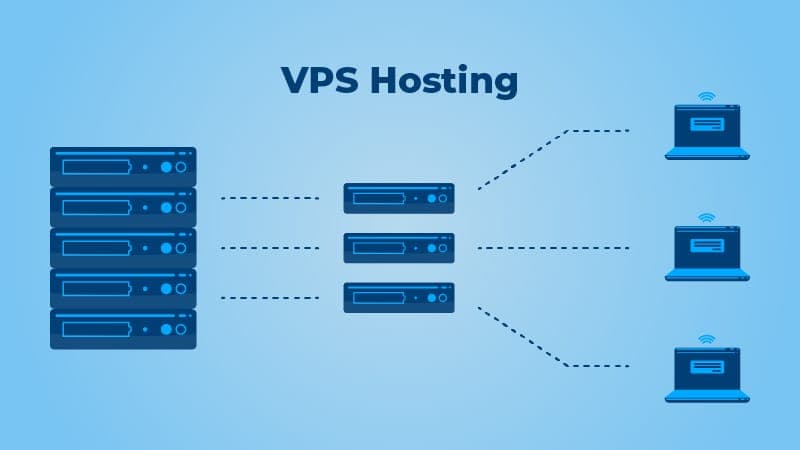
 VPS Hosting
 Ryzen VPS Hosting
 FiveM Hosting
Introduction to FiveM and Server Hosting
If you are passionate about gaming and Grand Theft Auto V, you have probably heard of FiveM. It is a popular multiplayer modification that allows you to create and manage unique, custom servers. FiveM gives players the freedom to create their own gaming experiences, from realistic role-playing communities to action-packed missions and adventures.
But how do you set up a FiveM server, and how do you optimize it to ensure the best performance? In this comprehensive guide, we will walk you through the essential steps to creating your own server and how PineRiver.dk's high-performance server hosting can help you get the most out of your FiveM experience.
Why Choose FiveM Server Hosting at https://pineriver.net/en/?
Running a FiveM server requires a stable and powerful hosting solution that can handle high resource demands and ensure a smooth gaming experience. At PineRiver.net, we offer servers with state-of-the-art hardware, advanced infrastructure, and low ping, so your server always runs optimally.
Advantages of PineRiver.dk's FiveM Server Hosting:
- High-performance hardware: Our servers are based on Ryzen processors, which ensure fast and stable performance.
- Low ping and fast connection: The servers are located in Germany, ensuring low response times throughout Europe.
- Full control: With a dedicated VPS or Dedicated Server, you have full access to configuration and modifications.
- 24/7 support: Our support team is always ready to help with any technical challenges.
- Easy setup: If you purchase our specific FiveM Game Server Hosting, FiveM is already installed and configured for you!
Ready to start your own FiveM server? Check out our FiveM hosting plans here.
Step-by-Step Guide: Setting Up Your FiveM Server
1. Choose Your Server Type
First, you need to decide what type of hosting you need:
- VPS Hosting – Perfect for smaller communities that need flexibility.
- Dedicated Server – Ideal for large, resource-intensive FiveM servers with many players.
- FiveM Game Server Hosting – FiveM is already installed and optimized, so you can get started right away!
2. Install FiveM Server Software (Only for VPS/Dedicated Servers)
Note: If you have purchased our specific FiveM Game Server Hosting, you can skip this step as FiveM is already installed!
Windows Guide
- Download FiveM artifacts from FiveM's official website.
- Unzip the files and place them in your server folder.
- Run
FXServer.exeto start the server. - Configure your
server.cfgfile with important information such as server name, number of players, plugins, etc.
Linux Guide
- Update your packages:
sudo apt update && sudo apt upgrade -y - Install dependencies:
sudo apt install git screen -y - Download FiveM artifacts:
mkdir -p ~/fivem-server cd ~/fivem-server wget https://runtime.fivem.net/artifacts/fivem/build_proot_linux/master/latest.zip unzip latest.zip - Start the server:
./FXServer +exec server.cfg
3. Configure Server Settings
To give players a good experience, optimize your server settings:
- Set the maximum number of players, depending on your server capacity.
- Enable voice chat for a better RP experience.
- Add resources and scripts that suit your playstyle.
- Implement database support to store player data.
- Optimize the tick rate to improve server performance.
Advanced Optimization of FiveM Server Performance
1. Keep the Server Updated
Regular updates to FiveM artifacts, scripts, and plugins are essential for stability and security.
2. Monitor Resource Usage
Use monitoring tools to keep track of CPU, RAM, and disk usage. Install tools such as Prometheus or Grafana for in-depth analysis.
3. Optimize Plugins and Scripts
Only use optimized scripts and avoid too many heavy, resource-intensive plugins. Benchmark your scripts with profiling tools.
4. Use Effective DDoS Protection
FiveM servers are often targets for DDoS attacks. PineRiver.dk includes advanced DDoS protection.
5. Optimize Network Settings
Low ping is essential for a good gaming experience. Use a server location close to your players and configure rate limiting to prevent network congestion.
6. Secure Your Community
- Use whitelists to ensure that only approved players have access.
- Set up Discord integration to improve community engagement.
- Review and moderate logs to prevent cheating.
- Automate moderation using bots and plugins.
Troubleshooting and Support
Common Problems and Solutions
- High latency: Optimize network settings and reduce unnecessary scripts.
- Server crashes: Log and troubleshoot server error messages.
- Database issues: Ensure your MySQL database is running optimally and has the correct settings.
- Mods and scripts not working: Check the compatibility and versions of your scripts.
Conclusion: Start Your FiveM Server Today
Setting up and running a FiveM server can be a technical challenge, but with the right hosting partner, the process becomes much easier. PineRiver.dk offers high-performance servers, low ping, and 24/7 support to ensure that your server always runs optimally.
Are you ready to start your adventure in the FiveM universe? Visit PineRiver.dk today and find the perfect hosting solution for your server!
With this guide, you are well equipped to set up and optimize your own FiveM server. We wish you good luck and success with your server administration!